
Webhooks Setting
Setup Webhook
-
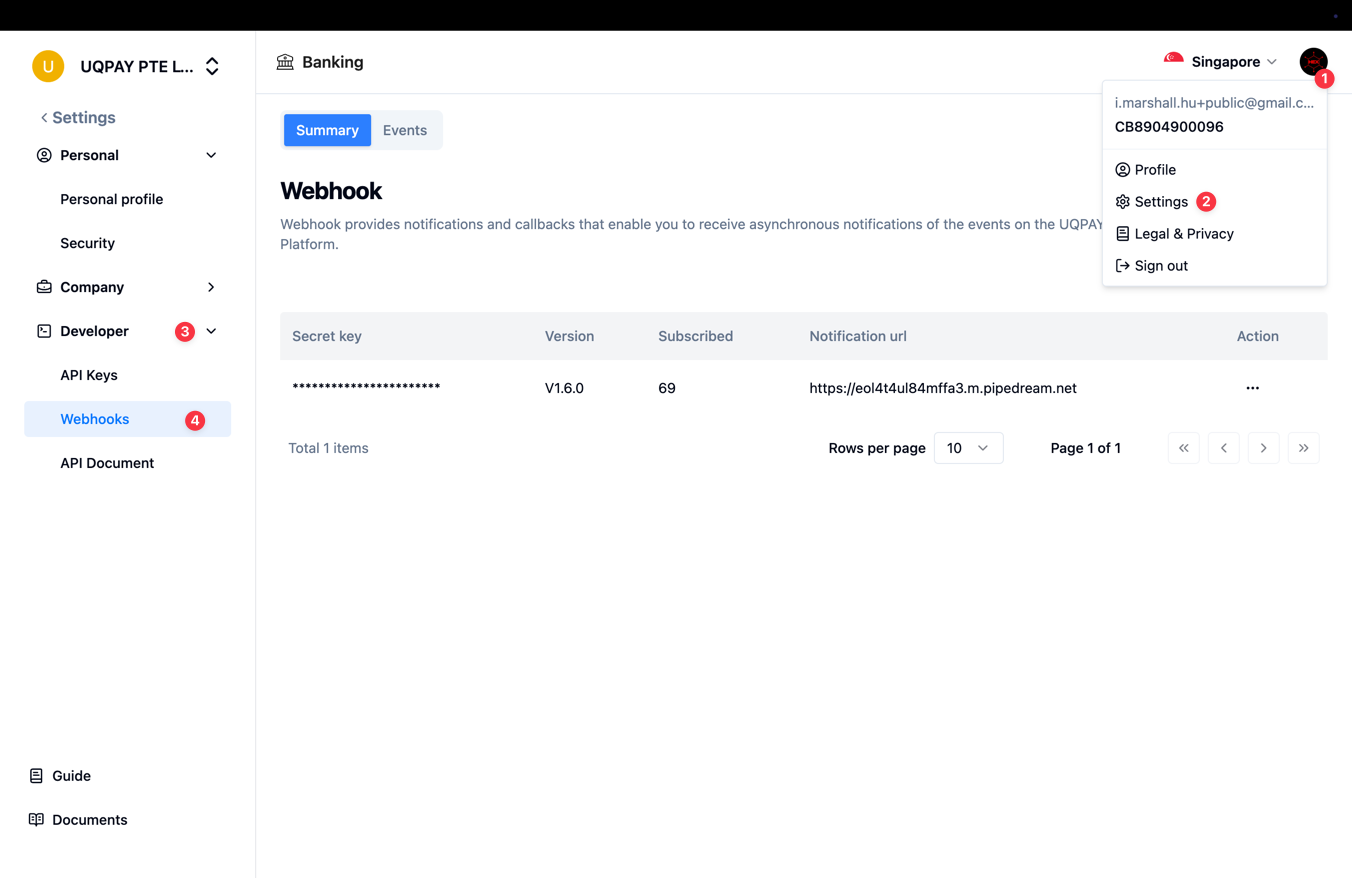
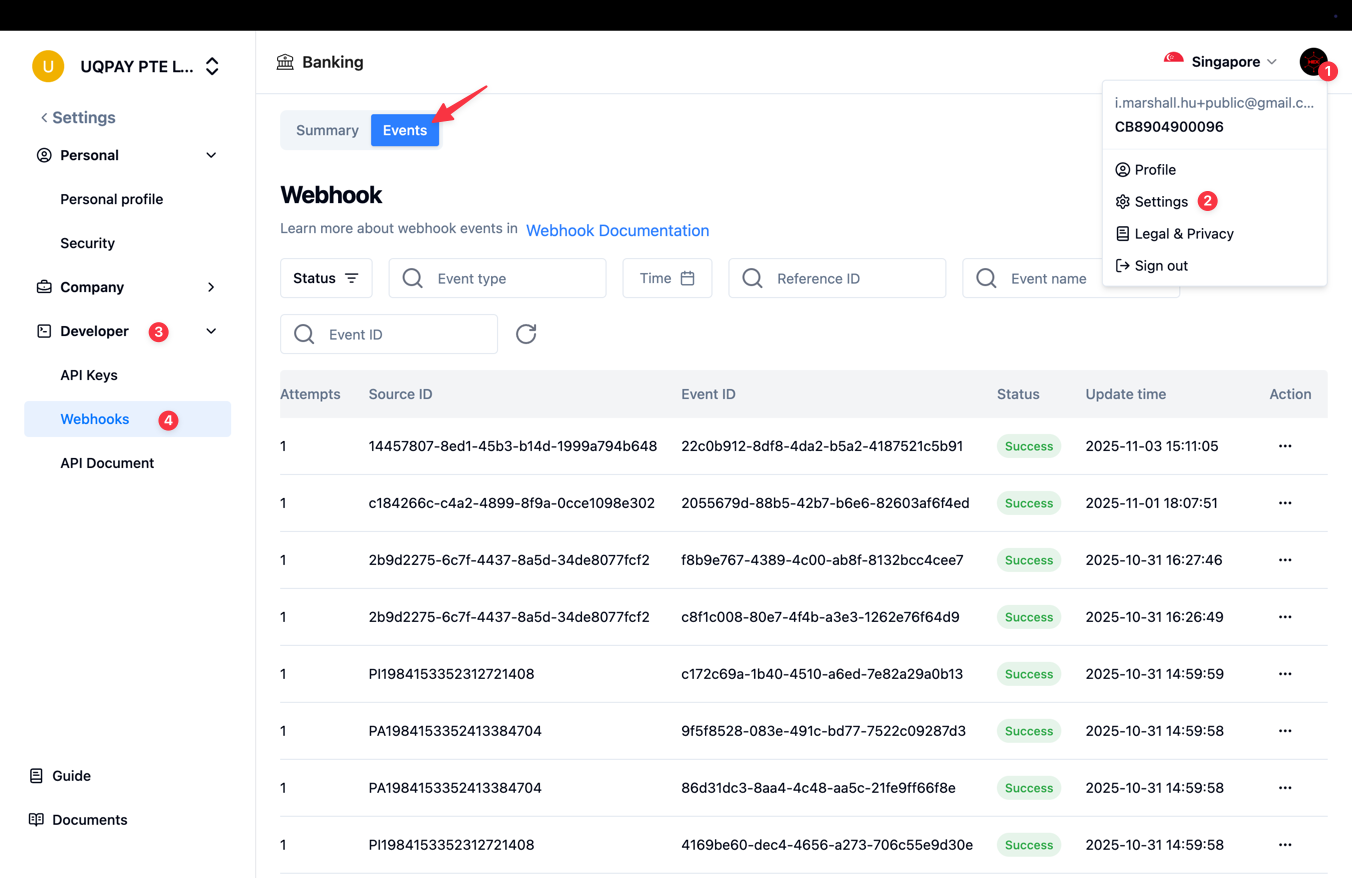
Sign in to the Dashboard
-
Click your profile picture in the top-right corner > Select Settings
-
Navigate to the Developer > Webhooks screen.
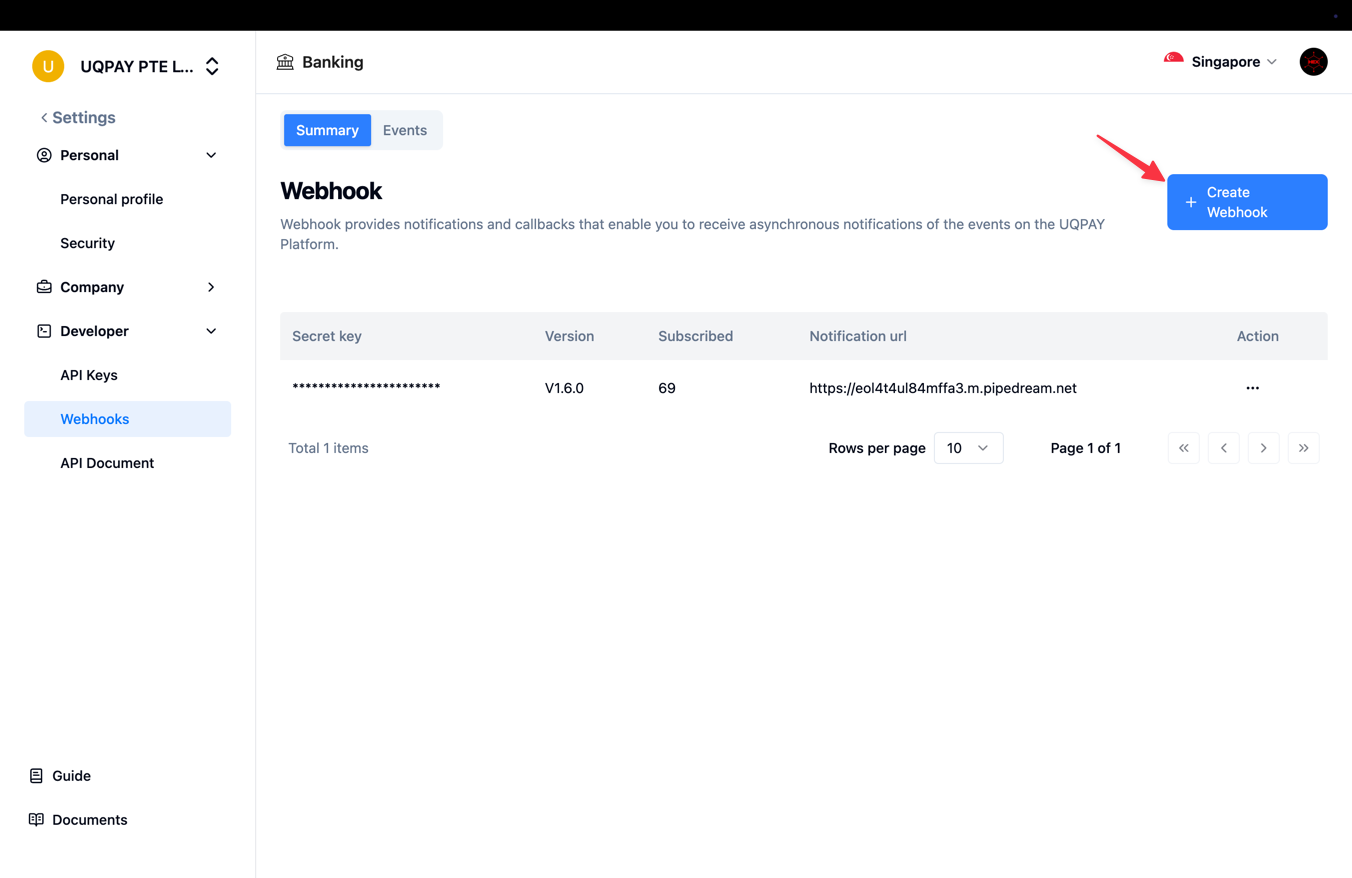
- Click Create Webhook in the top-right corner.
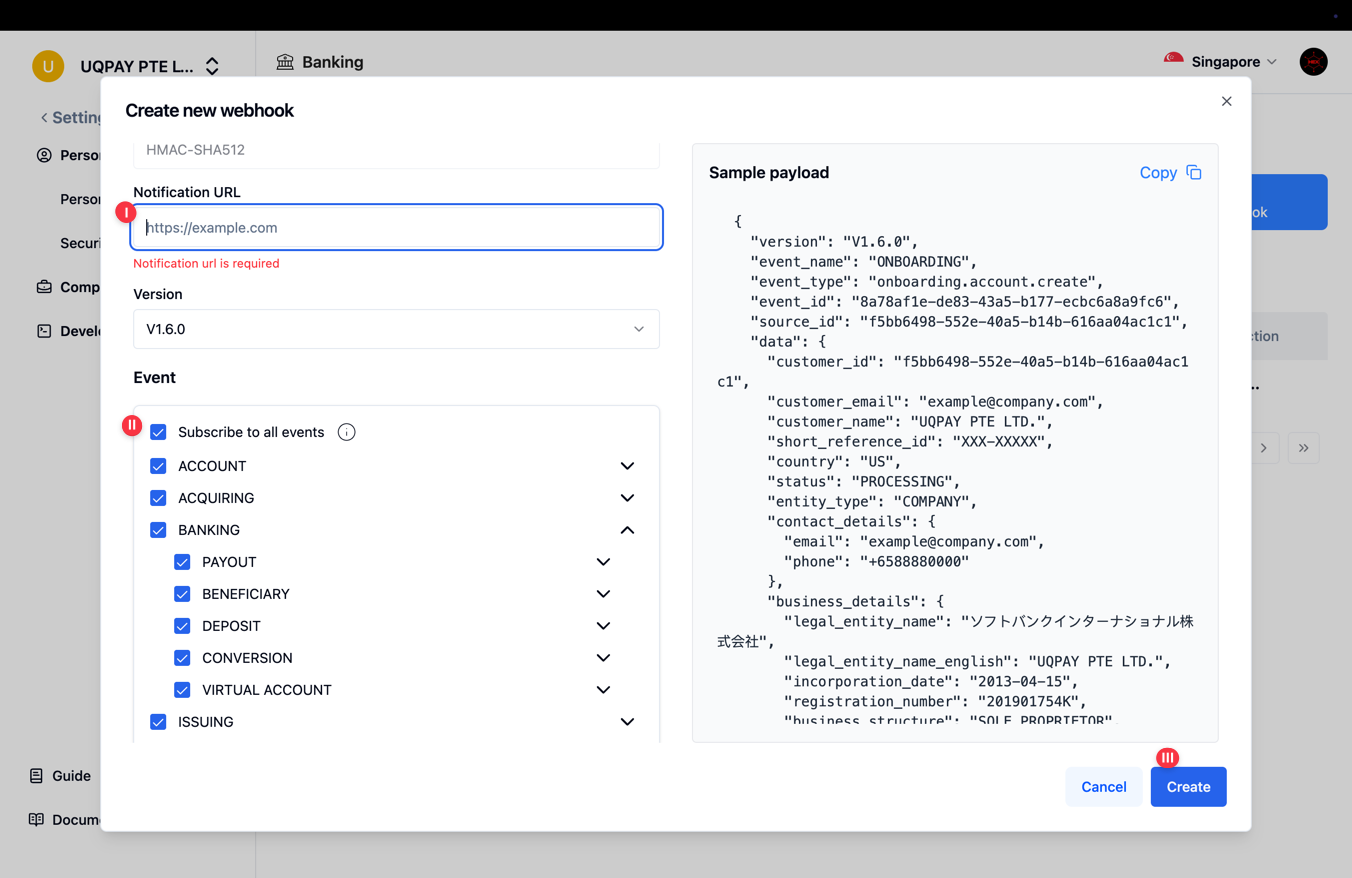
- Set Up Your Webhook
- Enter your notification URL.
- Select the events you would like to subscribe to, or choose Subscribe to all events.
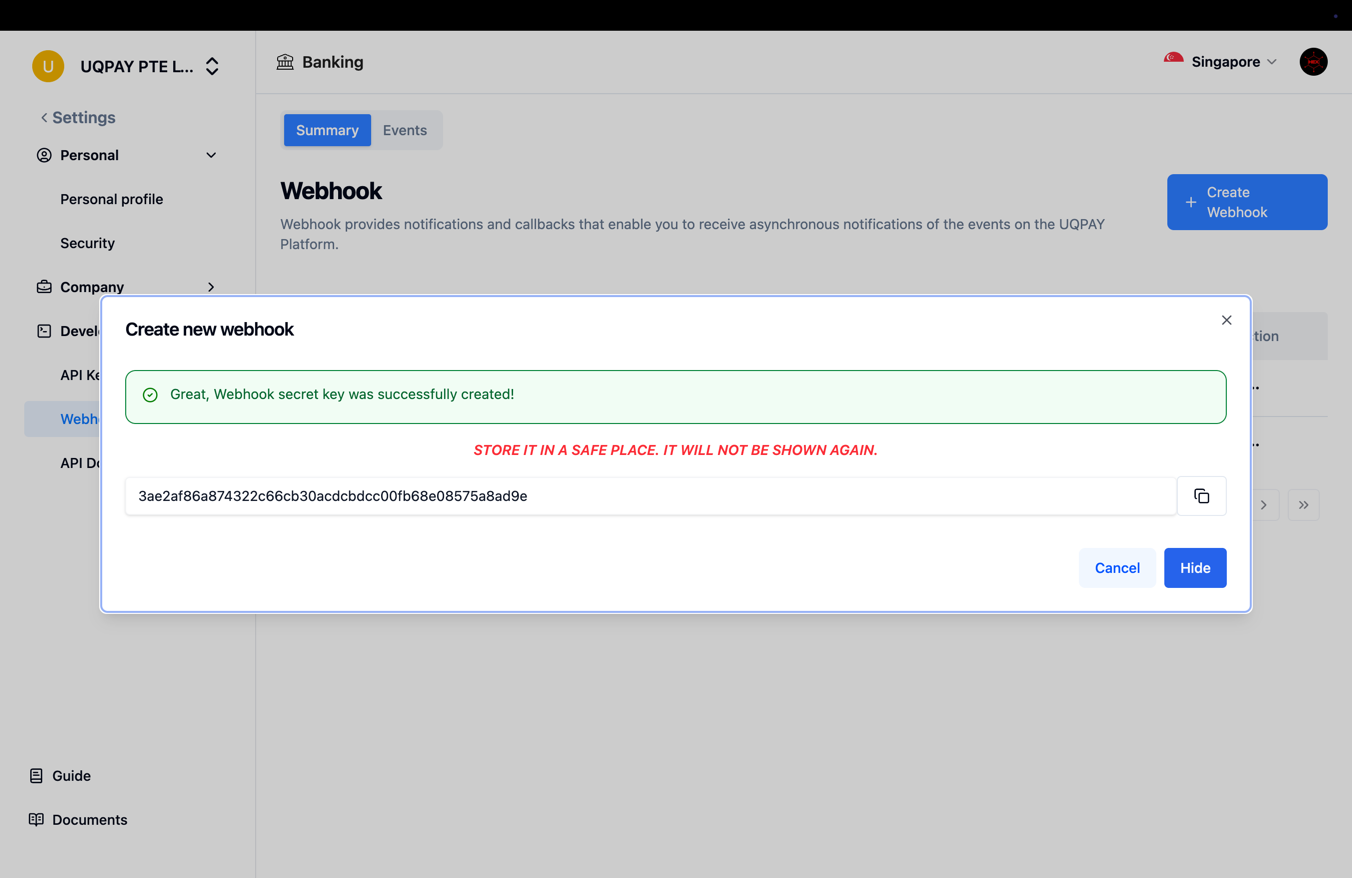
- Click Create button to process
- Please make sure to whitelist our IP addresses in your production environment to ensure successful Webhook delivery.
Checking Previous Webhooks or Re-triggering
- Select the "Events" tab on the Webhook page.
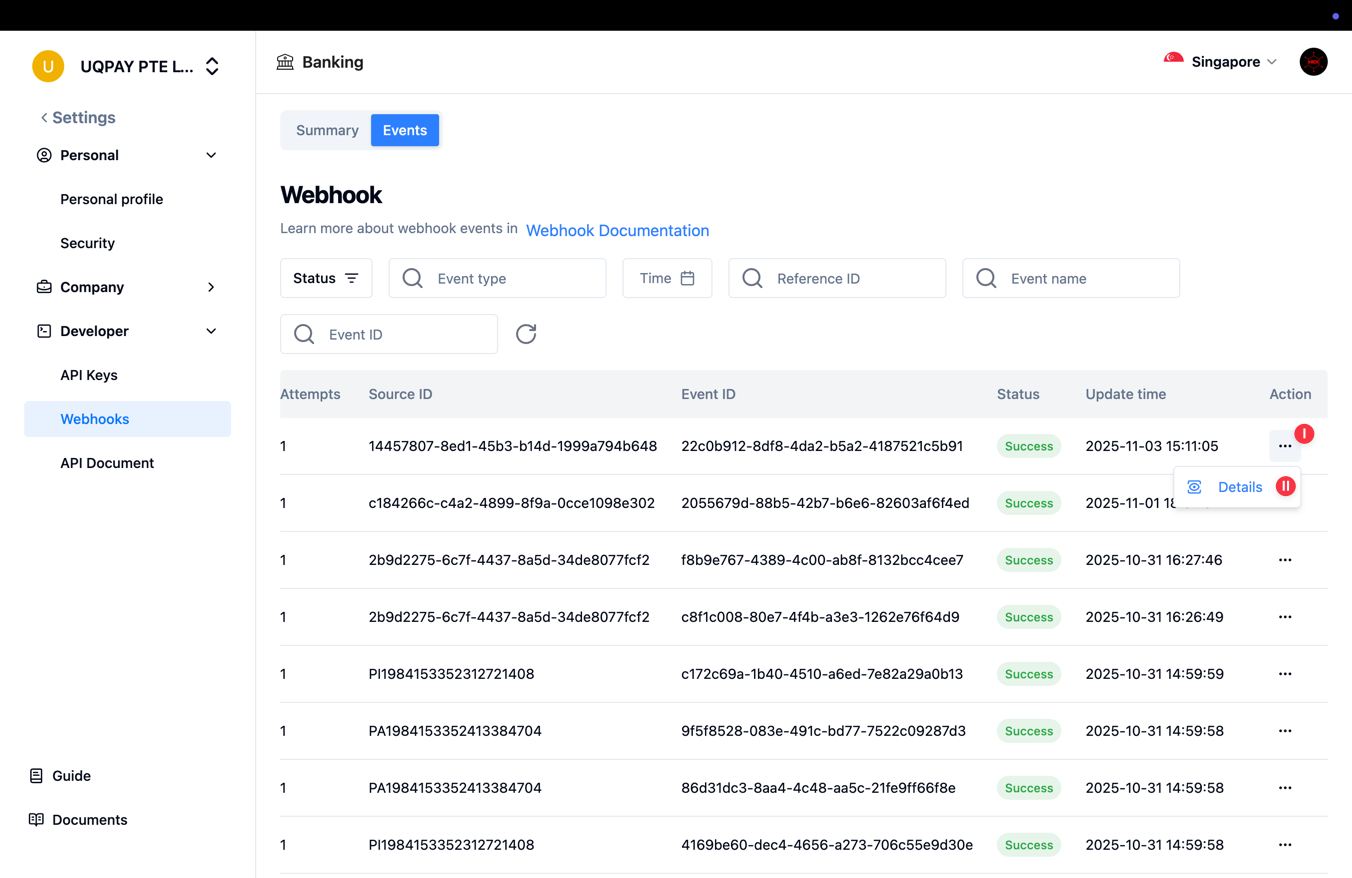
- To view the details of a specific webhook, select the "..." menu and then choose "Details."
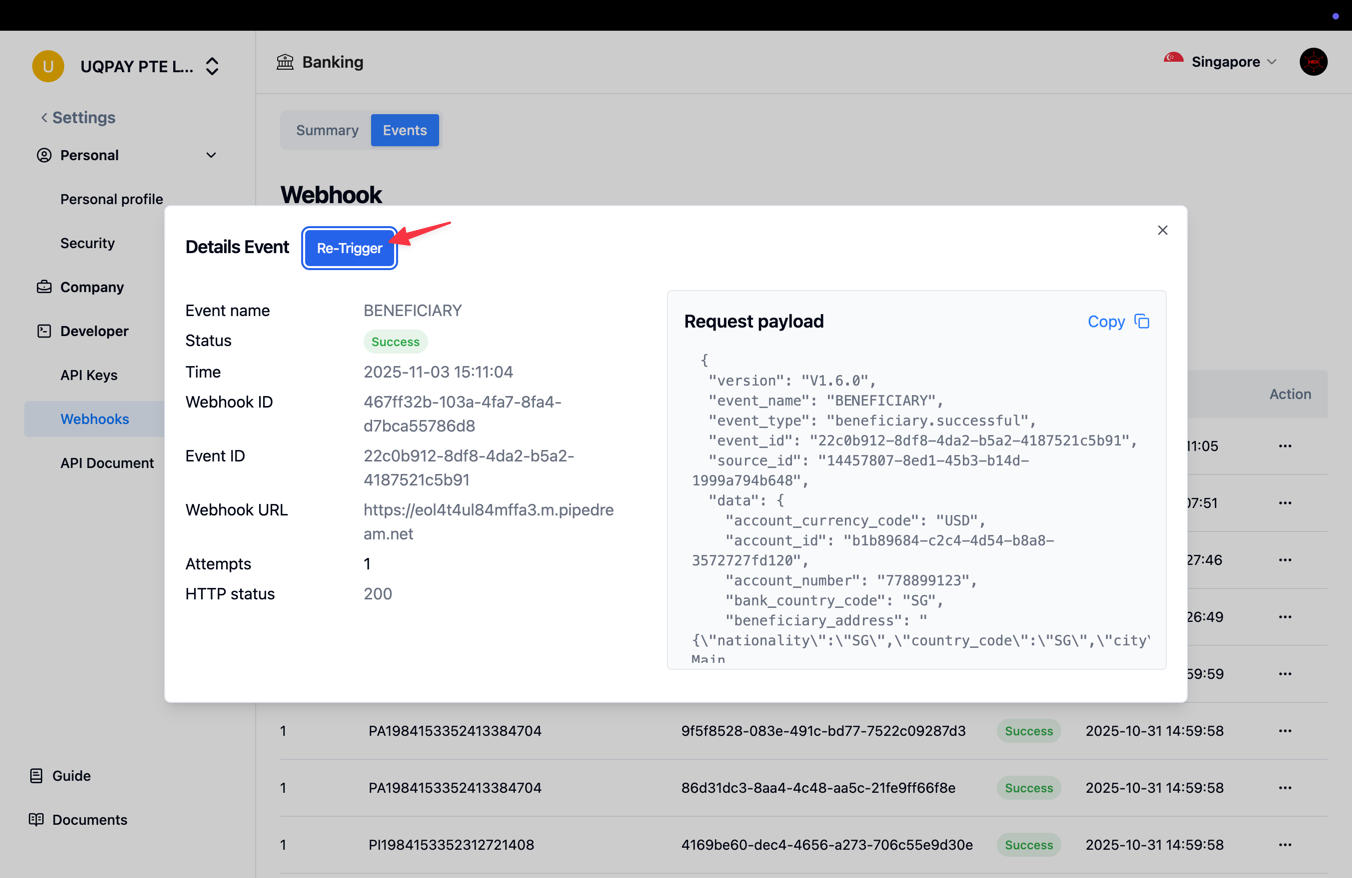
- Click the "Re-Trigger" button to resend the webhook notification.
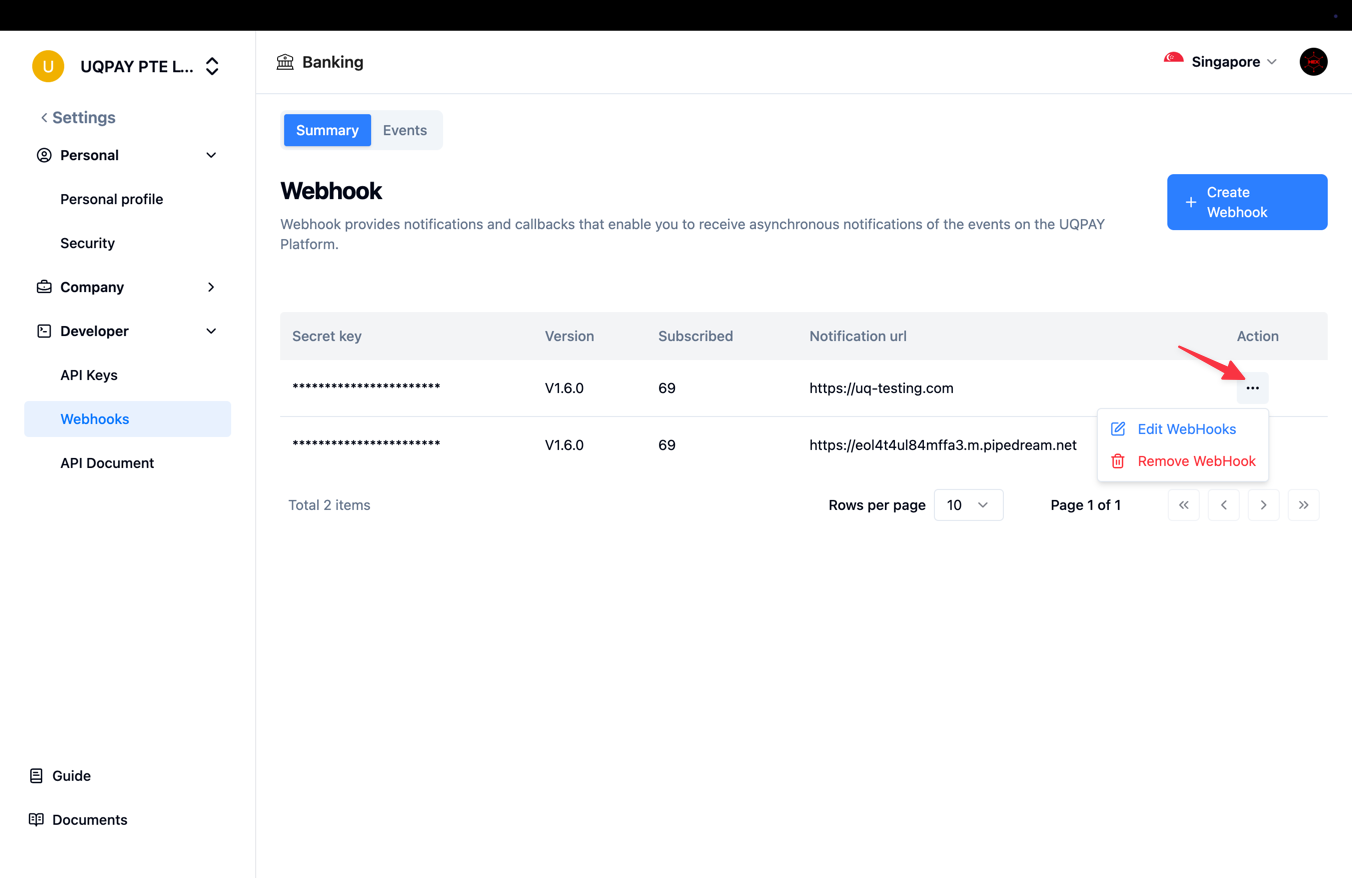
Edit / Remove Webhook
- You can modify or delete the webhook after it has been created.
Detail
- For more information, refer to the Webhooks Overview
Updated 9 months ago
What’s Next
Did this page help you?